
Announcing PCP: Kaperkunde's first open source release, and why your AI assistant shouldn't hold your keys

Kaperkunde has published its first open source project. It's called PCP, and it sits between your AI assistant and everything you let that assistant touch: your email, your invoicing, your website, your servers. You run it yourself, and you decide, for every single action, whether the assistant may do it on its own, has to ask you first, or can't do it at all.
The code is on GitHub under the MIT licence. Here's why it exists.
The problem
Assistants like Claude and ChatGPT got useful the moment they could do things rather than just talk about them: read your inbox, file an expense, deploy a site. The way that works today is that you hand the assistant's maker a key to each service. Your Gmail, your bank-adjacent software, your hosting account, all unlocked and held by a company whose business is collecting as much of your context as it can.
I wasn't comfortable with that, and I didn't want the alternative either, which is an assistant that can't do anything.
What PCP does
Your keys stay with you. PCP stores every API key and sign-in encrypted on your own machine, under a key that only your password can unlock. When the assistant wants to send an email, it asks PCP; PCP makes the call with your credentials and hands back the answer. The assistant never sees the key, and neither does the company behind it.
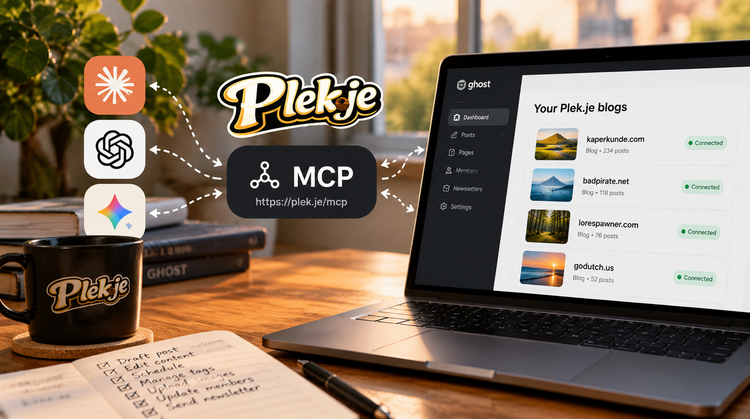
One connection, as many services as you like. You connect your assistant to PCP once. Behind that one connection sit all of your servers and APIs. If your plan only lets you add one connector, this is the one to add.
Anything with an API, not just things with a ready-made connector. Most of the software I rely on has no AI integration at all. It does have an API, usually an old one. With PCP you can say "add my invoicing software" in a chat, and the assistant writes the connector itself from the API's documentation, hands it to PCP, and PCP shows you exactly what it wants to add before anything exists. My expense tracker now works from Claude, and nobody had to build an integration for it.
Control per action, not per service. Every tool the assistant can reach starts as "ask me first". From there you set each one to always allowed, ask, or blocked. Reading my calendar: allowed. Sending email: ask. Deleting anything: blocked. When it needs to ask, you get a link, you answer on PCP's page, and the assistant carries on.
No lock-in. The toolbox is yours. Today it's connected to Claude. If I move to ChatGPT next year, or to something that doesn't exist yet, I point the new assistant at the same PCP and everything comes with me. No re-authorising twenty services, no rebuilding.
What I'm running it with
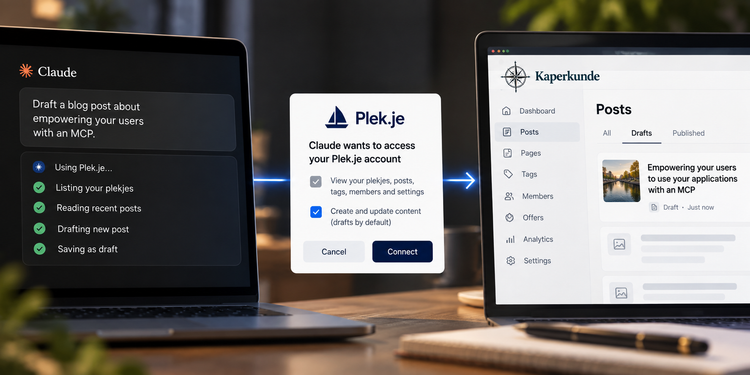
I've had PCP running for myself for a few weeks: email, my invoicing and expense software, the hosting behind Plek.je, and the systems I use to deploy software for clients. The assistant drafts, looks things up, files and deploys, and I get asked before anything irreversible happens. This post was drafted through it, the assistant was able to look at the code, my past posts for writing style (though it still needed polishing to sound a little less like Claude), as well as actually check what services I had on PCP to get the context right.
Why open source
Partly because a tool whose whole point is "you don't have to trust anyone with your keys" has to be inspectable, or the claim is empty. Partly because this is the kind of work Kaperkunde does: making AI genuinely useful inside a business without handing the business over to it. Building PCP in the open is the clearest way I know to show that.
What's next
Right now PCP is for people comfortable running a Docker container; setup is one command and a password, but you need a machine to put it on. Making it easy for a non-technical person to run on their home computer is the next step. The server, the control, and the licence stay as they are.
If you want the technical details, the encryption model, and how the assistant adds its own connectors, that's in PCP: a gateway you control between your data and the cloud LLMs on the engineering list. If you want to try it, the README has the three commands.
BadPirate - Out!


Member discussion