
A Morning with Claude and PCP
AI tools are getting better at a remarkable rate. Things I do with them today, I couldn't do a month ago, and if you're not following closely that can be pretty surprising. So here's a baseline: what I got done one Wednesday morning between 08:44 and about 10:00, mostly hands-free, while I biked my kid to school, cleaned up after the dog, moved winter tires and walked her.
- Signed our new houseboat up for electricity, gas and water. Both sign-up flows were entirely in Dutch: addresses, start dates, meter readings, bank details. Normally that means translating every screen and an hour of second-guessing. Instead Claude walked each form, told me what it was asking, found our solar panel details in the sellers' paperwork, and filled it all in. I answered a few questions and approved.
- Without the AI ever seeing my passwords or bank account. I typed those once into PCP, which only enters them on the sites I allowed.
- Got a printer working that no assistant could use five minutes earlier, then printed my driving test papers plus an English translation of the Dutch forms.
- Cleared my inbox: insurance follow-ups, appointments into the family calendar, and a freelance invoice checked, filed and entered into my invoicing system.
- Filed four bug reports against my own software, and drafted this post.
Want to see what made that possible, or try it yourself? PCP is always free to download. For now I'm limiting invites to the forwarding service at pcp.gg, which lets you run PCP on your own computer without opening a hole in your network. This invite gets you a free pcp.gg subdomain to use with your PCP.
The setup: Claude in voice mode on my phone, connected to PCP, my self-hosted MCP gateway. PCP holds the keys to my mail, files, invoicing, a headless browser, my home server and now a printer. Claude never sees the passwords. I see a link whenever something needs my OK. If you want the background, read why I built PCP and how it works.
My lines are shortened, because I ramble when I'm talking to a phone in my pocket. Claude's are trimmed. Where nothing new happens I've written … and a one-line summary instead.
08:44 — Inbox
(Just dropped kids off one of them had a flat so we took the box bike, put my AirPods in started Claude and began biking home.)
Me: Run my email triage skill.
Claude: Morning Kevin! Biggest thing first: the houseboat insurance broker has sent everything on to the insurer, and they've promised to prioritise it. News is expected later this week.
Me: Archive all three, there's nothing to do until they get back to us.
Claude: Done, all three are archived. Next: you have a driving lesson at 10:00, with pickup at the house.
… Claude checks whether we've already moved (not until February), so the pickup address is fine. Archived.
08:48 — An invoice I didn't write
Claude: The agency for your contract has sent its first self-billing invoice in your company's name, based on the hours that were approved.
Me: Open the PDF, check it, and save it to my Kaperkunde folder.
Claude: It checks out: the hours match your start date and weekly schedule, and the rate and VAT are right. It's saved under Kaperkunde/Invoices.
Me: Should that go in Invoice Ninja too? If so, put it there.
Claude: Yes, as long as it isn't sent out as a second invoice. I made the agency a new client, since they're the ones paying, and marked it sent without emailing it.
… A meter-replacement appointment lands on the shared family calendar, with a reminder the day before. Archived.
08:53 — Houseboat handover paperwork
(Got home, dog left a mess in the garage for me to clean up.)
Claude: The handover inspection form is clean: heating, hot water, kitchen and toilet all work, and every key was handed over. The broker also sent photos of all the meters.
Me: Save the readings and anything else worth keeping long-term into the boat's folder.
Claude: Done. I read the readings off the photos and saved them in a note next to the pictures. Removing duplicate files needs your OK in PCP.
Me: Allowed it for an hour.
08:59 — "Your driving test is tomorrow"
Claude: Important: your CBR practical test is tomorrow at 08:00. Bring your ID, the invitation and the filled-in self-reflection form.
Me: I've got an HP printer on the same network as the scanner service. Can you find it and add it as a printer?
Claude: Good news: the printer answers from your home server, and the printing tools are already installed. I can set up a print queue and propose a "printer" wrapper in PCP so any assistant can print.
Me: Create the wrapper and test it with those files.
(I approve the new tools in PCP. The printer down the hall starts up.)
Me: Oh crap, that was fast. Both forms are in Dutch. Can you translate just the words and numbers and print that too?
Claude: Your translation sheet is printing. It follows the self-reflection form row by row, so you can tick the boxes on the Dutch original.
A new feature was written, deployed and used inside about five minutes, and I never touched a keyboard.
09:07 — Filing bugs against my own product
Me: PCP's browser can type passwords Claude never sees. Can it also generate one I never have to look at?
Claude: Not yet. Want me to file it?
Me: Do it.
Claude: Filed as issue #70.
… Archived: a cancelled event (with a reminder to check the refund), a welcome email, and an Audible new-release alert I want to keep getting.
09:10 — Utilities for our new home (house boat in Amsterdam! so excited)
(Moving the winter tires.)
Me: Before anything else, let's get the utilities set up. Energy goes with Frank Energie, and I don't have an account yet. Use the PCP browser to create one, and let me generate the password.
Claude: Here's a link. Type a password from your password manager into PCP's page. I'll never see it, and it only gets typed on Frank's own sites.
Claude: The sign-up form wants to know about solar panels. The meter shows a lot of power going back to the grid.
Me: Look through the closing documents, I think they had the solar details. And we'll charge the Tesla there, but I mostly bike, so keep the mileage low.
Claude: Found it in the sellers' questionnaire: the panel model, the year they were installed, and last year's output. I've put in yearly estimates for a family of four and turned on smart charging and smart feed-in.
(09:29: biking kids, dog mess and tires all done. I ask Claude to note them down for this post. 09:31: out walking the dog.)
Me: Payment comes from my personal account. Create a secret for it and I'll fill it in.
Claude: Done. Only Frank's sites can receive it. The online calendar won't go earlier than the 7th, so do you want to pick that and settle the days in between with the handover readings?
Me: Go with the seventh. Let's do it.
Claude: The order's placed. I clicked the link in the confirmation email for you and archived it.
… Same routine for Waternet. I asked Claude to put the broker's email back in my inbox so I could read the water meter off the photo myself as the OCR said that the photo that was taken was a little bit blurry. Submitted. "Aanmelden gelukt!"
09:55 — This post
Me: What's left for today?
Claude: Your driving lesson at 10:00, then the motor tax, a VAT refund check, and a few calls for the boat.
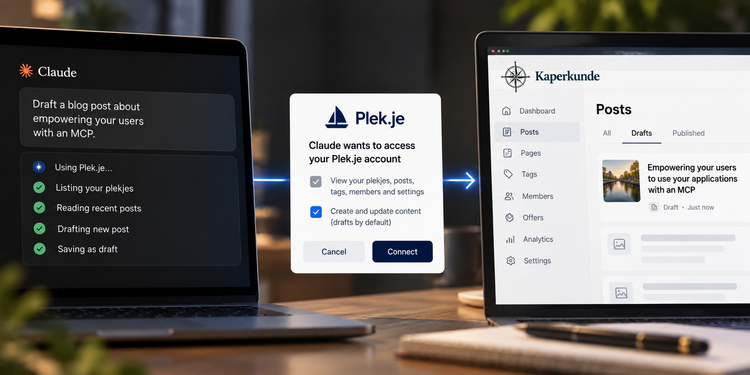
Me: We're good. Now write a blog post called "A Morning with Claude and PCP": a transcript of today, shortened, with private things redacted, timestamps, and what I was doing at the time. Put it up as a draft on Kaperkunde.
Claude: I'll go through this morning's transcript and draft it.
Me: And mention that you can post straight to my blog because of the MCP connector I built for Plek.je.
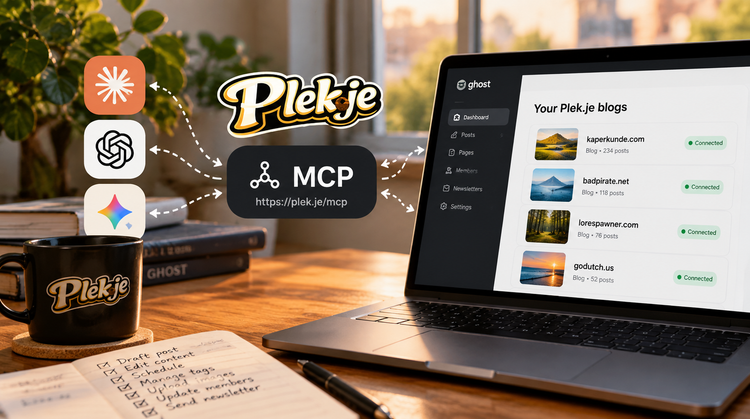
That last part is literal. This blog runs on Plek.je, my managed Ghost hosting, and every Plek.je site comes with an MCP connector. Claude read my earlier posts to match the voice, then saved this one as a draft for me to review.
What I take from it
- Voice plus tools is the step change. Most of this I'd have put off until I was back at a desk. Instead it got done while I was doing chores.
- The approvals are what make it relaxing. Deleting files, new tools and passwords each came with one link. Everything else just happened.
- The agent improves the platform. It found four real gaps in PCP in one morning and filed them, and it built the printer tool on the spot.
FAQ: trying it yourself
What do I need? An MCP-capable assistant (I use Claude, voice mode in the phone app) and PCP, which is always free to download from pcp.gg. To run it on your own computer and reach it from anywhere, use this invite for the pcp.gg forwarding service; it comes with a free subdomain for life.
Does the AI see my passwords? No. Secrets are entered on PCP's own page and added only when a call runs, on the sites you allow. (Issue #73 is about the browser's page reads, and closing that gap is on the list.)
What stops it doing something I don't want? Every tool has a tier. Reads run freely, writes can need approval, and destructive actions ask first. You get a link and decide.
Can it really add a printer? It proposed a wrapper around a print command on my home server, and I approved it. Wrappers work the same way for anything you can script.
Can it post to my blog? If your blog is on Plek.je, yes. Connect its MCP connector, directly or through PCP.


Member discussion